The average ecommerce conversion rate hovers between 2.5% and 3%. That means for every 100 visitors who land on your store, 97 leave without buying anything. If your store brings in 50,000 monthly visitors, you are losing roughly 48,500 potential customers every single month.
Now imagine you could move that conversion rate from 2.5% to 3.5%. On a store generating $500,000 in monthly revenue, that single percentage point translates to an additional $200,000 per month — without spending a cent more on advertising.
That is the power of a systematic ecommerce CRO audit.
A conversion rate optimization audit is a structured, data-driven review of every element in your online store that influences whether a visitor becomes a customer. It examines your homepage, product pages, category pages, cart, checkout, mobile experience, and site performance — identifying friction points, usability issues, and missed opportunities that silently drain your revenue.
In this guide, you will learn exactly how to conduct a thorough ecommerce conversion audit in eight actionable steps. Whether you run a Shopify store, a WooCommerce site, or a custom-built platform, this process applies universally. By the end, you will have a clear, prioritized roadmap of fixes that can materially improve your bottom line.
Table of Contents
- What Is an Ecommerce CRO Audit?
- Why Your Store Needs a CRO Audit
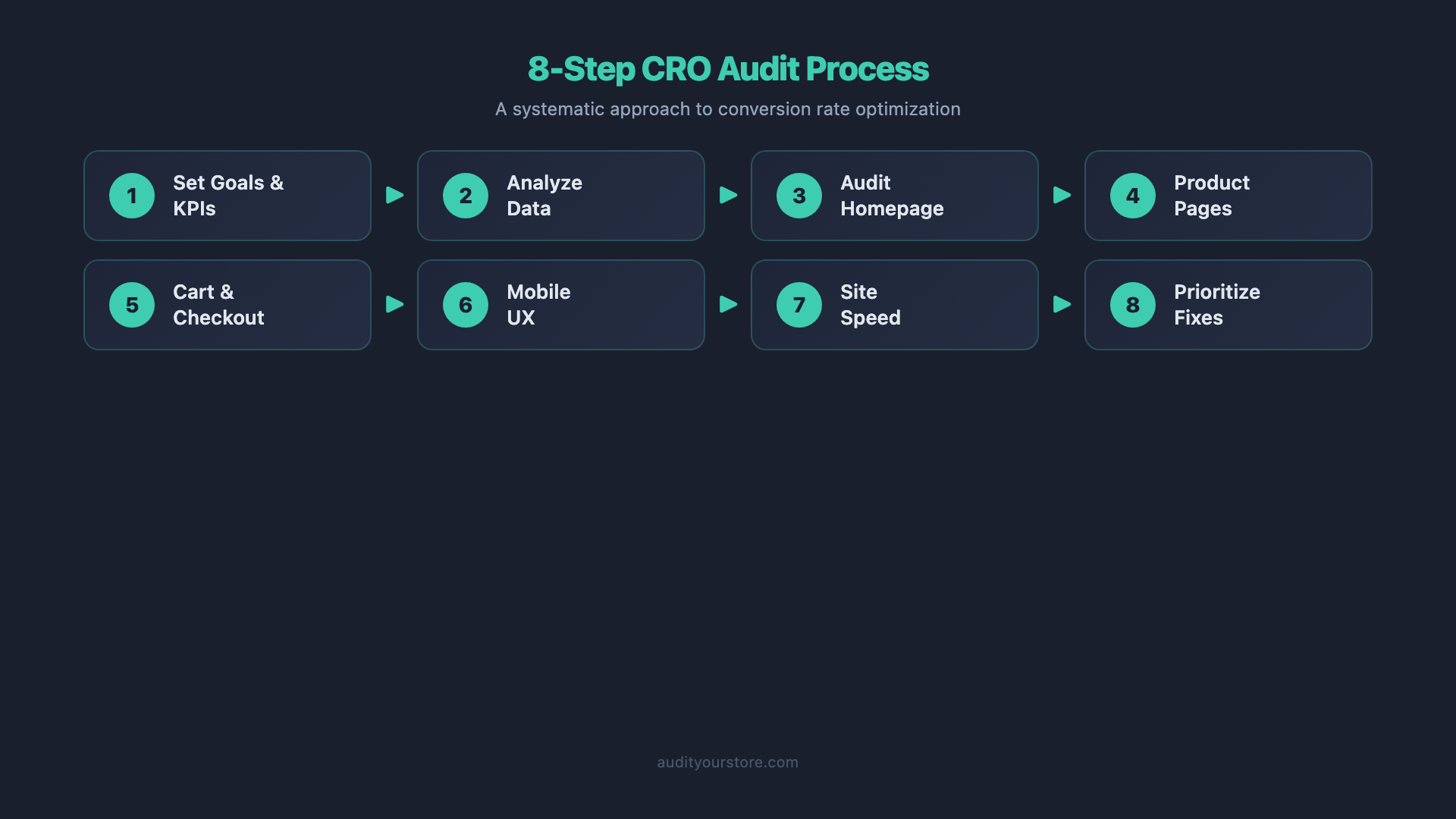
- The 8-Step CRO Audit Process
- Common CRO Mistakes to Avoid
- Tools You Need for a CRO Audit
- How Often Should You Audit?
- Frequently Asked Questions
- Get the Complete 276-Point CRO Checklist
What Is an Ecommerce CRO Audit?
An ecommerce CRO audit is a systematic evaluation of your online store designed to identify why visitors are not converting into customers — and what specific changes will fix it. It goes far beyond glancing at your Google Analytics dashboard and guessing what might be wrong.
A proper conversion rate optimization audit covers five key areas:
- Quantitative analysis — What your data says. Traffic sources, bounce rates, exit pages, funnel drop-off points, and conversion rates segmented by device, channel, and customer type.
- Qualitative analysis — What your customers say. Heatmaps, session recordings, on-site surveys, customer support tickets, and post-purchase feedback.
- UX and usability evaluation — How easy it is to find products, understand pricing, compare options, and complete a purchase.
- Technical performance — Page load speed, Core Web Vitals scores, mobile responsiveness, and broken functionality.
- Persuasion and trust elements — Product copy, social proof, trust badges, guarantees, and the overall messaging hierarchy on each page.
The output of a CRO audit is not a vague list of suggestions. It is a prioritized action plan where each recommendation is tied to a specific conversion problem, supported by data, and ranked by potential impact and implementation effort.
Why Your Store Needs a CRO Audit
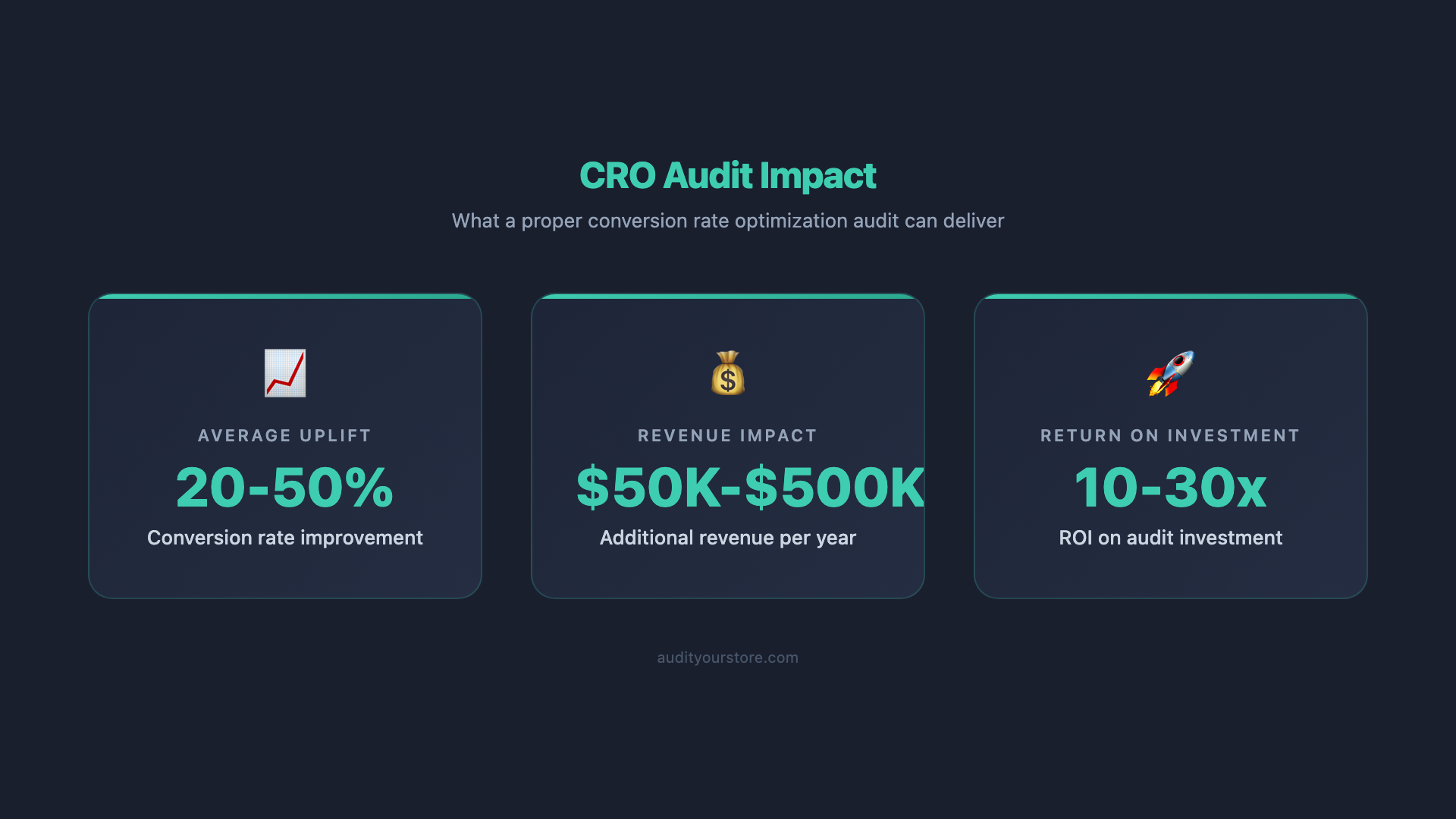
Every ecommerce store leaks revenue. The question is not whether yours does — it is how much and where.
Here is why a structured ecommerce conversion audit should be a priority for any serious online retailer:
The math is compelling
Acquiring a new customer costs 5 to 7 times more than retaining an existing one. Meanwhile, most stores pour 80% or more of their marketing budget into acquisition (paid ads, influencer campaigns, SEO) while ignoring the conversion funnel that turns that expensive traffic into revenue. A CRO audit flips this equation. By fixing your funnel, you extract more revenue from traffic you are already paying for.
Small improvements compound
A 0.5% increase in conversion rate might not sound dramatic. But on a store doing $2 million in annual revenue at a 2% conversion rate, that half-point lift represents an additional $500,000 per year. Combine improvements across homepage, product pages, and checkout, and the compounding effect can be substantial.
Your competitors are optimizing
Brands like Amazon, ASOS, and Chewy invest millions into conversion optimization. Their checkout flows, product pages, and mobile experiences set the benchmark that your customers now expect. If your store feels clunky, slow, or confusing by comparison, visitors will leave.
Customer behavior shifts constantly
What worked in 2024 may not work in 2026. Mobile commerce now accounts for over 60% of ecommerce traffic. Buy-now-pay-later adoption has changed checkout expectations. AI-powered product recommendations have raised the bar for personalization. A regular CRO audit ensures your store keeps pace with evolving customer expectations.
Key insight: The highest-performing ecommerce stores do not just drive more traffic. They convert a larger share of the traffic they already have. A CRO audit is how you close the gap between where your conversion rate is and where it could be.
The 8-Step Ecommerce CRO Audit Process
Below is the exact process we use when conducting an ecommerce CRO audit. Follow these eight steps in order — each builds on the previous one.
Step 1: Gather Your Data
You cannot optimize what you do not measure. Before you touch a single page on your store, you need a clear picture of what is happening and where the problems are.
Set up your analytics foundation
Make sure the following tools are properly configured and collecting data:
- Google Analytics 4 (GA4) — Verify that enhanced ecommerce tracking is enabled. You need accurate data on product views, add-to-cart events, checkout initiation, and purchases. Check that your conversion events are properly configured and that you are not double-counting transactions.
- Heatmap and session recording tool — Tools like Hotjar or Microsoft Clarity show you where visitors click, how far they scroll, and where they get stuck. Install these on your homepage, top product pages, category pages, and checkout flow. Aim to collect at least 1,000 sessions before drawing conclusions.
- Google Search Console — Understand which queries bring organic traffic to your store, which pages rank, and where click-through rates are low.
Pull your baseline metrics
Document these numbers before making any changes. They are your benchmarks:
| Metric | Where to Find It | What It Tells You |
|---|---|---|
| Overall conversion rate | GA4 > Monetization > Overview | Percentage of sessions resulting in a purchase |
| Conversion rate by device | GA4 > Tech > Overview | Whether mobile or desktop performs worse |
| Conversion rate by channel | GA4 > Acquisition > Traffic Acquisition | Which traffic sources convert best and worst |
| Cart abandonment rate | GA4 > Monetization > Checkout Journey | Percentage of users who add to cart but do not purchase |
| Bounce rate by page | GA4 > Engagement > Pages and Screens | Pages that fail to engage visitors |
| Average order value (AOV) | GA4 > Monetization > Overview | How much customers spend per transaction |
| Exit pages | GA4 Explorations > Funnel Analysis | Where visitors leave your funnel |
Identify your top-priority pages
You cannot audit every page at once. Focus on the pages that handle the most traffic and revenue. Typically, this means your homepage, your top 10-20 product pages (by traffic or revenue), your main category pages, and your cart and checkout flow. These pages represent the critical path that most customers travel, and improvements here will have the largest impact.
Step 2: Audit Your Homepage
Your homepage is often the most visited page on your store and the first impression for a large share of your traffic. It needs to accomplish three things in under five seconds: communicate what you sell, establish trust, and guide visitors deeper into the site.
What to evaluate
- Hero section clarity — Can a first-time visitor understand what you sell within 3 seconds? Your headline should state your value proposition, not a clever tagline. “Premium Organic Skincare, Delivered Monthly” works. “Live Your Best Life” does not.
- Primary call-to-action — Is there one clear, dominant CTA above the fold? “Shop Best Sellers” or “Browse Collections” is far more effective than showing five competing CTAs that dilute attention.
- Navigation structure — Can visitors reach any product within three clicks? Is your navigation menu logically organized by product type, use case, or customer segment? Test the mega menu on mobile — if it requires excessive scrolling or tapping, it needs reworking.
- Social proof — Are customer reviews, trust badges, press mentions, or user-generated content visible above the fold or immediately below? First-time visitors need reasons to trust you before they will explore further.
- Search functionality — Site search users convert 2-3x higher than non-searchers. Is your search bar prominent? Does it offer autocomplete suggestions? Does it handle misspellings and synonyms gracefully?
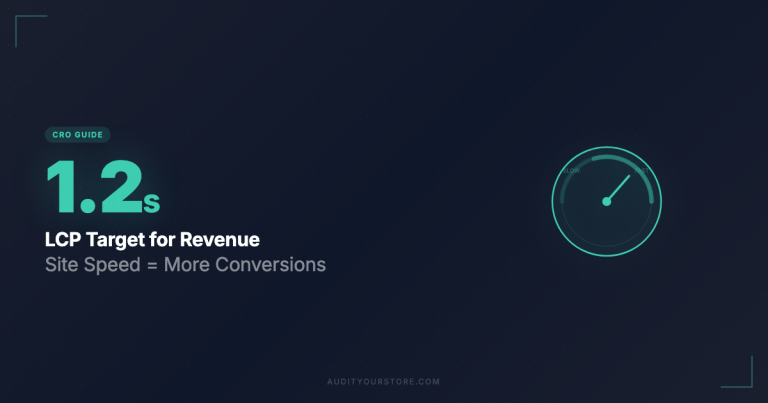
- Page load time — Your homepage should load in under 2.5 seconds. Heavy hero images, unoptimized videos, and excessive third-party scripts are the usual culprits.
Heatmap checks
Review your homepage heatmap to answer these questions: Are visitors clicking on elements that are not actually links (a sign of confused expectations)? How far down the page does the average visitor scroll? Are important sections below the scroll threshold being missed entirely?
Step 3: Audit Product Pages
Product pages are where purchase decisions are made or lost. This is the highest-leverage area of most ecommerce CRO audits because even small improvements here directly affect revenue.
Product images and media
- Do you have at least 4-6 high-quality product images per item, showing the product from multiple angles?
- Are lifestyle images included alongside studio shots so customers can visualize the product in context?
- Do you offer zoom functionality on desktop and pinch-to-zoom on mobile?
- For applicable products, is there a product video or 360-degree view? Product videos can increase conversion rates by 80% or more on certain product types.
Product descriptions
- Does the description lead with benefits rather than features? “Keeps your coffee hot for 12 hours” is a benefit. “Double-wall vacuum insulation” is a feature. Lead with the benefit, then back it up with the feature.
- Is the description scannable? Use bullet points, short paragraphs, and bold text for key selling points. Walls of text go unread.
- Does the copy address common objections? If customers frequently ask about sizing, materials, or compatibility, answer those questions directly on the product page.
Price and value presentation
- Is the price clearly visible and easy to find?
- If you offer discounts, is the original price shown alongside the sale price with a clear savings callout?
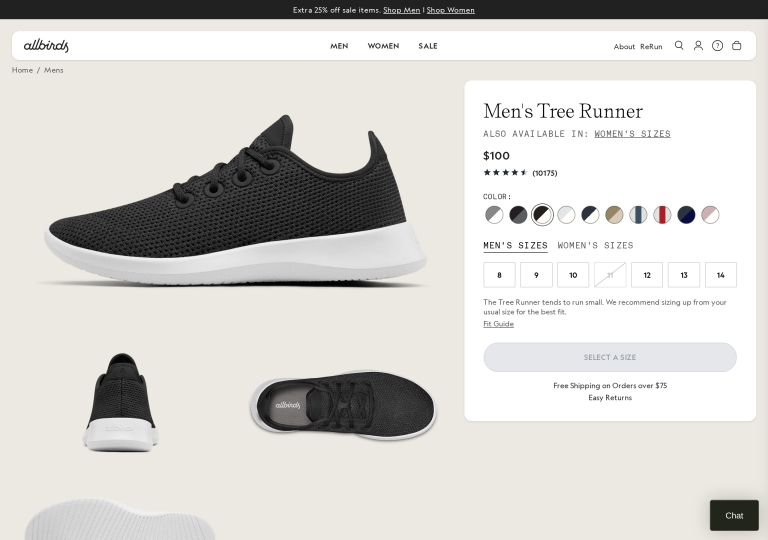
- Is free shipping mentioned near the price? Unexpected shipping costs are the number one reason for cart abandonment.
- Do you offer a buy-now-pay-later option (Klarna, Afterpay, Shop Pay Installments)? Displaying installment pricing near the main price can increase AOV by 20-30%.
Add-to-cart area
- Is the add-to-cart button visually dominant? It should be the most prominent element in the buy box — high contrast, full width on mobile, and never below the fold on desktop.
- Does the button text clearly communicate the action? “Add to Cart — $49.99” performs better than a vague “Submit” or “Continue.”
- What happens after clicking add-to-cart? A clear confirmation (cart drawer, mini-cart popup, or animation) reassures the customer. If nothing visibly happens, users will click repeatedly and become frustrated.
Social proof on product pages
- Are customer reviews displayed prominently? Products with reviews convert 270% better than those without.
- Can visitors filter reviews by rating, relevance, or with photos?
- Do you respond to negative reviews? This demonstrates customer care and can actually increase trust.
- Is there user-generated content (customer photos, Instagram embeds) that shows the product in real use?
Step 4: Audit Category and Collection Pages
Category pages serve as the bridge between your homepage and your product pages. They help visitors narrow down choices and find the right product. If your category pages are poorly organized, customers will bounce before ever seeing your products.
Key elements to audit
- Filtering and sorting — Do you offer relevant filters? For apparel, this means size, color, price range, and style. For electronics, specifications and compatibility. Filters should be easy to apply, clearly show the number of results, and work instantly without a full page reload.
- Product grid layout — Are you showing enough products per page? Most stores find a sweet spot between 24 and 48 items. Infinite scroll works well on mobile; pagination with clear page numbers works better on desktop.
- Product card information — Each product card should show: the product image, product name, price (including sale price if applicable), star rating, and any key differentiator (like “Best Seller” or “New Arrival”). Customers should not need to click through to a product page to decide whether an item is worth exploring.
- Category page content — A brief category description (2-3 sentences) at the top helps with SEO and gives visitors context. Avoid massive blocks of keyword-stuffed text that push products below the fold.
- Empty state handling — What happens when filters return zero results? Instead of showing a blank page, suggest removing filters, display popular products in the category, or offer a search prompt.
Step 5: Audit Cart and Checkout Flow
The average ecommerce cart abandonment rate is approximately 70%. That is a staggering amount of lost revenue, and much of it is preventable. Your cart and checkout flow represent the most conversion-sensitive part of your entire store.
Cart page audit checklist
- Cart summary clarity — Does the cart clearly display product images, names, selected variants (size, color), quantities, individual prices, and the subtotal? Can customers easily update quantities or remove items without confusion?
- Shipping cost transparency — Show estimated shipping costs in the cart, not as a surprise at checkout. If you offer free shipping above a threshold, display a progress bar: “You are $15 away from free shipping!”
- Cross-sells and upsells — The cart is an excellent place for relevant product recommendations. Keep them subtle and relevant: “Customers also bought” or “Complete the look.” Limit to 2-4 suggestions to avoid overwhelming the customer.
- Trust reinforcement — Include trust badges (secure checkout, money-back guarantee, free returns) near the checkout button. A brief line like “30-day hassle-free returns” can reduce purchase anxiety.
Checkout flow audit checklist
- Guest checkout — Do you allow guest checkout? Requiring account creation before purchase is one of the top reasons for checkout abandonment. Let customers buy first, then offer account creation on the confirmation page.
- Form field count — Every additional form field decreases completion rates. Audit each field and ask: is this strictly necessary to process the order? Use address autocomplete (Google Places API) to reduce typing. Auto-detect city and state from the ZIP code.
- Progress indicator — If your checkout spans multiple steps, show a clear progress bar (e.g., “Shipping > Payment > Review”). Customers who know where they are in the process are more likely to finish.
- Payment options — Offer the payment methods your customers expect. At minimum: credit/debit cards, PayPal, and a digital wallet (Apple Pay, Google Pay, Shop Pay). Digital wallets can reduce checkout time to seconds and dramatically reduce mobile abandonment.
- Error handling — When a form validation error occurs, is the error message clear, specific, and positioned next to the relevant field? “Please enter a valid email address” is helpful. A generic red banner at the top of the page saying “There was an error” is not.
- Order review — Before the final purchase click, let the customer see a complete summary: items, quantities, shipping address, shipping method, estimated delivery date, and total cost including tax. Surprises at this stage cause abandonment.
Step 6: Audit Mobile Experience
With over 60% of ecommerce traffic coming from mobile devices, a mobile-specific audit is not optional — it is essential. And here is the problem: despite handling the majority of traffic, mobile conversion rates are typically 50-60% lower than desktop. That gap represents a massive opportunity.
Conduct a real-device review
Do not rely solely on Chrome DevTools or browser resizing. Pick up an actual smartphone and go through the entire purchase journey on your store. Use both iOS and Android devices. Note every point of friction: buttons that are too small to tap, text that requires zooming, forms that trigger the wrong keyboard type, and images that take too long to load on a 4G connection.
Mobile-specific elements to audit
- Tap target sizes — Interactive elements (buttons, links, form fields) should be at least 44×44 pixels with adequate spacing between them. Small, closely packed tap targets cause misclicks and frustration.
- Thumb-zone placement — Primary actions (add to cart, checkout) should fall within the natural thumb reach zone at the bottom third of the screen. Avoid placing critical CTAs in the top corners where they require hand repositioning.
- Mobile navigation — Is your hamburger menu intuitive? Can customers easily find and use search? Consider a sticky bottom navigation bar for key actions (Home, Search, Cart, Account).
- Form input optimization — Use the correct input types:
type="email"for email fields (triggers the @ keyboard),type="tel"for phone numbers (triggers numeric keypad),inputmode="numeric"for credit card fields. Disable autocorrect on name and address fields. - Mobile-specific pop-ups — Pop-ups that are difficult to close on mobile are a conversion killer and a Google penalty risk. If you use pop-ups, ensure the close button is large, easily tappable, and that the pop-up does not cover the entire screen on mobile.
- Sticky add-to-cart — On mobile product pages, the add-to-cart button scrolls out of view quickly. A sticky add-to-cart bar at the bottom of the screen keeps the purchase action always accessible.
Step 7: Audit Site Speed and Core Web Vitals
Page speed is not a nice-to-have — it directly impacts conversion rates. Research from Google shows that as page load time increases from 1 second to 3 seconds, bounce probability increases by 32%. From 1 to 5 seconds, it increases by 90%.
Core Web Vitals targets for 2026
| Metric | What It Measures | Good Threshold |
|---|---|---|
| Largest Contentful Paint (LCP) | Loading performance — how quickly the main content appears | Under 2.5 seconds |
| Interaction to Next Paint (INP) | Responsiveness — how quickly the page responds to user input | Under 200 milliseconds |
| Cumulative Layout Shift (CLS) | Visual stability — how much the page layout shifts unexpectedly | Under 0.1 |
How to test
- Google PageSpeed Insights — Test your homepage, a product page, a category page, and checkout. Pay attention to both the field data (real-user metrics) and the lab data (simulated test).
- Google Search Console Core Web Vitals report — This shows site-wide performance trends and flags pages that fail the thresholds.
- WebPageTest.org — Provides detailed waterfall charts showing exactly which resources load when, so you can identify bottlenecks.
Common speed issues in ecommerce stores
- Unoptimized images — This is the number one culprit. Convert images to WebP or AVIF format. Implement lazy loading for images below the fold. Serve responsive images using the
srcsetattribute so mobile devices do not download desktop-sized images. - Excessive third-party scripts — Review every script loaded on your pages. Analytics, chat widgets, review platforms, retargeting pixels, social proof notifications — each one adds load time. Audit whether each script is delivering value proportional to its performance cost. Load non-critical scripts asynchronously or defer them.
- Render-blocking CSS and JavaScript — Inline critical CSS, defer non-critical stylesheets, and minimize render-blocking JavaScript. Use the Coverage tab in Chrome DevTools to identify unused CSS and JS.
- Lack of CDN — If you are not serving assets through a content delivery network, users far from your server location experience significant latency. Most ecommerce platforms (Shopify, BigCommerce) include a CDN by default, but self-hosted stores often do not.
- Unoptimized web fonts — Limit font families to 2-3 maximum. Use
font-display: swapto prevent invisible text during font loading. Consider subsetting fonts to include only the characters you actually use.
Step 8: Prioritize and Implement Fixes
By this point, you will likely have a long list of issues. Trying to fix everything at once is a recipe for overwhelm and incomplete execution. You need a prioritization framework.
The ICE framework
Score each issue on three dimensions, each rated 1-10:
- Impact — How much will fixing this issue move the conversion needle? Issues on high-traffic pages or in the checkout flow score higher.
- Confidence — How confident are you that the fix will work? Issues backed by strong data (analytics, heatmaps, user feedback) score higher than gut feelings.
- Ease — How easy is it to implement? A copy change that takes 10 minutes scores higher than a complete checkout redesign.
Calculate the average of the three scores for each issue, then sort your list from highest to lowest. This gives you a prioritized roadmap.
Implementation tiers
- Tier 1: Quick wins (implement immediately) — High impact, easy to implement. Examples: fixing broken links, adding trust badges, improving CTA button copy, compressing images, enabling guest checkout.
- Tier 2: High-impact projects (schedule within 2-4 weeks) — High impact, moderate effort. Examples: redesigning product page layouts, improving mobile navigation, adding customer reviews, implementing cart cross-sells.
- Tier 3: Strategic initiatives (plan for next quarter) — High impact, high effort. Examples: full checkout redesign, site speed overhaul, implementing personalization, building a post-purchase email flow.
Test before you commit
For Tier 2 and Tier 3 changes, run A/B tests wherever possible. Tools like Google Optimize (sunset but replaced by third-party tools like VWO, Optimizely, or Convert.com) let you test variations against your current design with real traffic. Do not assume a change is an improvement until the data confirms it. Some “best practices” can actually hurt conversion rates in specific contexts.
Common CRO Mistakes to Avoid
After auditing hundreds of ecommerce stores, we see the same mistakes repeated. Avoid these pitfalls to get better results from your CRO audit checklist:
1. Optimizing based on opinions instead of data
“I think the button should be green” is not a CRO strategy. Every change should be rooted in data — analytics, heatmaps, user feedback, or A/B test results. When stakeholders disagree, run a test and let the customers decide.
2. Copying competitors without context
Just because a competitor redesigned their product page does not mean it works better. You do not know their data. They might be testing something that ultimately fails. Instead of blindly copying, understand the principles behind what works and apply them to your unique context.
3. Testing too many changes at once
If you change the headline, hero image, CTA text, and page layout simultaneously, and conversions improve, you will not know which change drove the improvement. Isolate variables wherever possible. Sequential A/B tests with single changes give you cleaner insights.
4. Ignoring micro-conversions
Not every audit finding directly impacts the purchase conversion rate. Micro-conversions — email signups, wishlist additions, account creations, product video views — are leading indicators that feed your overall funnel. Track and optimize these alongside your macro conversion rate.
5. Treating the audit as a one-time event
A single CRO audit provides a snapshot. But your store, your customers, and the competitive landscape evolve continuously. The stores that consistently outperform treat conversion optimization as an ongoing process, not a one-off project.
6. Neglecting post-purchase experience
Your CRO audit should not stop at the “thank you” page. Order confirmation emails, shipping notifications, packaging experience, and follow-up communications all influence whether a customer buys again. Repeat customers convert at 60-70%, compared to 2-3% for new visitors. Optimizing the post-purchase experience is one of the highest-ROI activities you can undertake.
Tools You Need for a CRO Audit
You do not need every tool on the market. Here is a practical toolkit organized by purpose:
Analytics and data
- Google Analytics 4 — Your primary source of quantitative data. Free, powerful, and essential. Make sure enhanced ecommerce tracking is properly configured.
- Google Search Console — Understand organic traffic patterns, indexation issues, and Core Web Vitals performance. Free.
Behavior analysis
- Hotjar — Heatmaps, session recordings, and on-site surveys. The free plan covers up to 35 daily sessions. Paid plans start at $39/month for more volume.
- Microsoft Clarity — Free heatmaps and session recordings with no traffic limits. An excellent free alternative to Hotjar’s recording functionality.
Site speed and technical
- Google PageSpeed Insights — Test individual page performance and Core Web Vitals. Free.
- GTmetrix — Detailed performance analysis with waterfall charts. Free for basic tests.
- Screaming Frog SEO Spider — Crawl your site to find broken links, redirect chains, missing meta data, and duplicate content. Free for up to 500 URLs.
A/B testing
- VWO (Visual Website Optimizer) — Full-featured A/B testing with a visual editor. Plans start around $99/month.
- Convert.com — Privacy-focused A/B testing tool popular with agencies. Plans start at $99/month.
- Optimizely — Enterprise-grade experimentation platform. Best for larger stores with significant traffic.
User feedback
- Hotjar Surveys — Deploy on-page surveys to ask visitors why they are leaving, what they are looking for, or what almost stopped them from buying.
- Post-purchase surveys — Ask customers directly after purchase: “What almost stopped you from buying today?” The answers reveal friction points that analytics alone cannot surface.
How Often Should You Audit?
We recommend a comprehensive ecommerce CRO audit on a quarterly basis. Here is a practical cadence:
| Frequency | Activity | Scope |
|---|---|---|
| Weekly | Monitor key metrics | Review conversion rate, cart abandonment rate, and AOV in GA4. Flag any sudden drops for investigation. |
| Monthly | Review behavior data | Check heatmaps and session recordings for new patterns. Review customer feedback and support tickets for recurring themes. |
| Quarterly | Full CRO audit | Conduct the complete 8-step audit process. Reprioritize your optimization roadmap. Plan A/B tests for the next quarter. |
| Annually | Strategic review | Evaluate year-over-year conversion trends. Assess whether your tech stack still serves your needs. Benchmark against industry standards. |
Additionally, trigger an ad-hoc audit whenever you notice a significant conversion drop, launch a major site redesign, add a new product category, or experience a substantial change in traffic source mix.
Frequently Asked Questions
How long does a CRO audit take?
A thorough ecommerce CRO audit typically takes 2-4 weeks from start to finish. The first week focuses on data collection and analysis. The second and third weeks cover the page-by-page review. The final week is for prioritization and documentation. The timeline depends on the size of your store, the number of pages to audit, and whether you are conducting the audit internally or hiring a specialist. Smaller stores with fewer than 100 products can often complete the process in 1-2 weeks.
What is a good conversion rate for an ecommerce store?
The average ecommerce conversion rate across all industries is approximately 2.5-3%. However, “good” varies significantly by industry. Fashion and apparel stores typically convert at 1.5-2.5%. Health and beauty products often achieve 3-4%. Food and beverage brands can reach 4-6%. Rather than chasing an arbitrary benchmark, focus on consistently improving your own conversion rate quarter over quarter. A store that goes from 1.5% to 2.5% has achieved a 67% improvement, which can be transformational for revenue.
Can I do a CRO audit myself or do I need to hire an expert?
You can absolutely conduct a CRO audit yourself using this guide and the right tools. The key requirement is access to your analytics data, a willingness to be objective about your store’s weaknesses, and the discipline to follow through on implementation. That said, an experienced CRO specialist or agency brings pattern recognition from auditing hundreds of stores, which can accelerate the process and uncover issues you might miss. If your store generates over $1 million in annual revenue, the ROI from professional help often justifies the cost.
How much does a professional CRO audit cost?
Professional CRO audit costs vary widely. Freelance specialists typically charge $2,000-$5,000 for a comprehensive audit. Established CRO agencies charge $5,000-$15,000 or more, depending on the scope and the size of your store. Some agencies offer ongoing CRO retainers at $3,000-$10,000 per month that include continuous testing and optimization. When evaluating cost, compare it against the potential revenue uplift. A $5,000 audit that identifies fixes leading to a 0.5% conversion rate improvement on a $2 million annual revenue store pays for itself many times over.
What is the difference between a CRO audit and a UX audit?
A UX (user experience) audit focuses on usability, accessibility, and the overall user journey — whether the experience is intuitive, enjoyable, and friction-free. A CRO audit encompasses UX but goes further by tying every finding to its revenue impact. A CRO audit asks not just “Is this easy to use?” but “Is this persuading visitors to buy?” It integrates analytics data, business metrics, and persuasion principles (social proof, urgency, value framing) alongside usability. In practice, a thorough CRO audit includes a UX audit as one of its components.
Get the Complete 276-Point CRO Checklist
This guide gives you the framework. But when you are in the trenches, auditing page by page, you need a detailed checklist to make sure nothing slips through the cracks.
We have compiled the 276-point ecommerce CRO checklist that covers every element discussed in this guide and more. It is organized by page type (homepage, product pages, category pages, cart, checkout, mobile) and includes specific pass/fail criteria for each checkpoint.
- Covers all 8 audit areas in granular detail
- Includes specific benchmarks and pass/fail criteria
- Organized by priority so you know where to start
- Works for Shopify, WooCommerce, BigCommerce, and custom stores
- Updated for 2026 standards and best practices
Download the Free 276-Point CRO Checklist →
Stop leaving revenue on the table. Start your ecommerce CRO audit today and turn more of your existing traffic into paying customers.