Shopify now powers over 4.6 million online stores worldwide. It is the platform behind household names and scrappy one-product startups alike. Yet the vast majority of those stores share a common problem: they are leaving money on the table. Studies consistently show that the average Shopify store converts at just 1.3 to 1.8 percent, while the top-performing ten percent push well past 3.5 percent. The gap between those numbers is not luck or superior products. It is the result of methodical optimization, and it starts with a thorough Shopify store audit.
Whether your revenue has plateaued, your ad costs are climbing, or you simply have not reviewed your store in the last six months, this guide will walk you through every corner of your Shopify store that deserves scrutiny. By the end, you will have a clear, prioritized action plan to fix the leaks that are costing you conversions and revenue.
What Is a Shopify Store Audit?
A Shopify store audit is a systematic, page-by-page review of your entire online store designed to identify friction points, technical errors, missed opportunities, and conversion leaks. Think of it as a health check for your ecommerce business. Just as you would not run a physical retail shop without periodically inspecting the signage, layout, and checkout counter, your digital storefront needs the same disciplined attention.
The scope of a proper audit goes far beyond simply looking at your homepage and deciding if the colors feel right. A comprehensive audit of a Shopify store covers:
- User experience (UX) — How easily can visitors find what they want, understand your offer, and complete a purchase?
- Conversion rate optimization (CRO) — Where are visitors dropping off, and what changes can reduce that abandonment?
- Technical performance — Is the store fast, error-free, and accessible across devices?
- Search engine optimization (SEO) — Is the store structured for organic visibility, and are there technical SEO issues holding you back?
- Trust and credibility — Does the store convey professionalism, transparency, and social proof?
- Analytics and measurement — Are you tracking the right data to make informed decisions going forward?
What you will uncover depends on the current state of your store, but common findings include broken links, slow-loading pages, missing meta descriptions, weak product copy, poor mobile experiences, misconfigured tracking, and entire segments of traffic that are not being served properly. Even stores generating seven figures in revenue routinely discover issues that, once fixed, produce measurable lifts in conversion rate and average order value.
The Shopify Store Audit Checklist: 10 Critical Areas
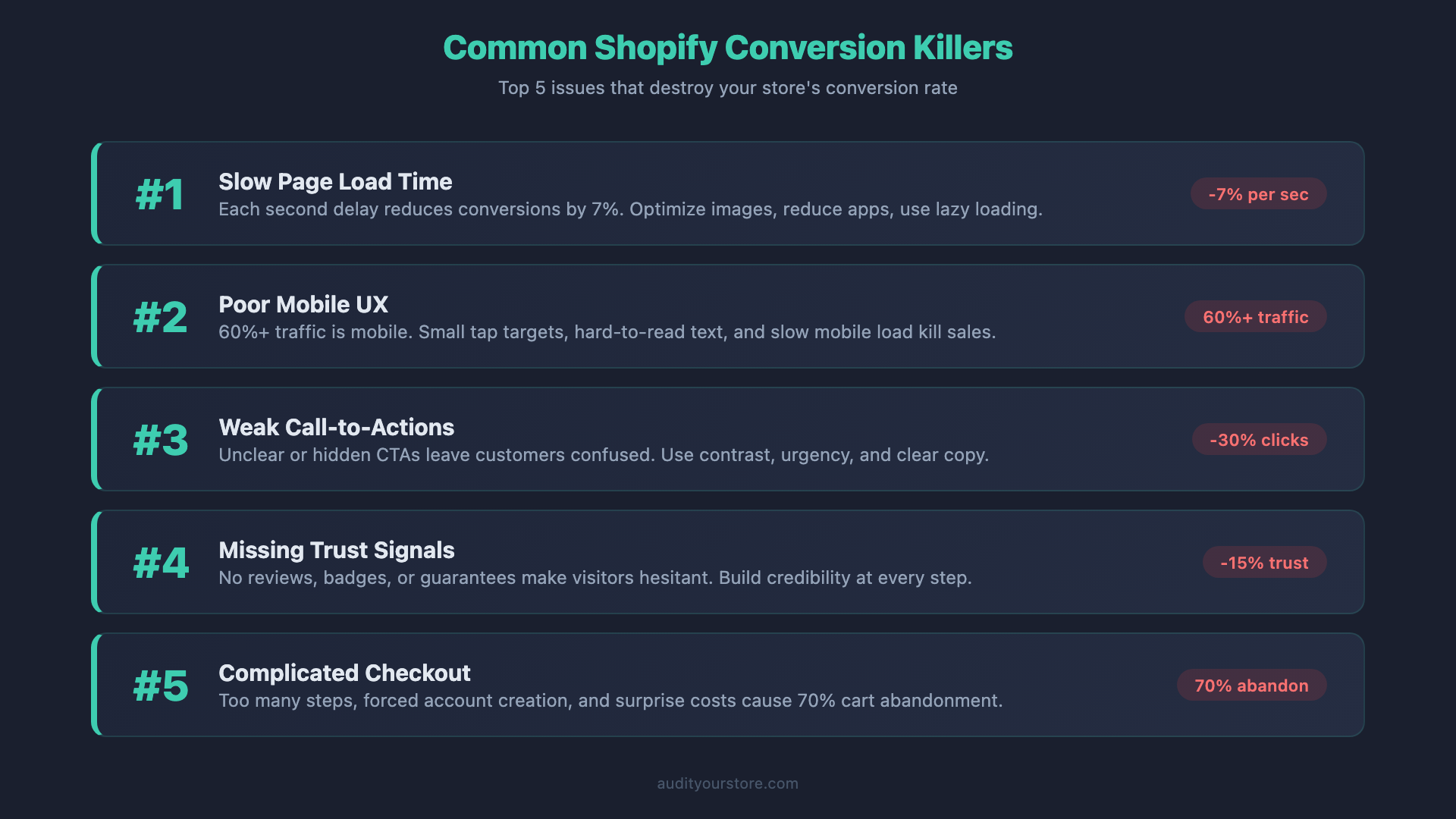
Below is the structured checklist we use when conducting a Shopify CRO audit. Work through each area methodically. Take screenshots, log issues, and note your observations. We will cover how to prioritize fixes later in the guide.
1. Homepage & Navigation
Your homepage is not just a landing page — it is the front door, the store directory, and the first impression rolled into one. Research from the Baymard Institute shows that users form judgments about a website’s credibility within 50 milliseconds of arrival. Here is what to evaluate:
Value proposition clarity. Can a first-time visitor understand what you sell, who it is for, and why they should buy from you within five seconds? Your hero section should answer these questions without requiring a scroll. Avoid vague taglines like “Elevate Your Lifestyle.” Instead, lead with specificity: what the product does, who it is for, and what makes it different.
Navigation structure. Shopify allows nested menus up to three levels deep through its native navigation system. As a rule, keep your main navigation to no more than seven top-level items. Every click deeper into your navigation hierarchy reduces the number of visitors who reach a product page. Audit your menu for items that could be consolidated, removed, or moved to the footer.
Search functionality. If your catalog exceeds 20 products, search becomes critical. Shopify’s default search is notoriously basic — it does not handle typos, synonyms, or partial matches well. Check if your search bar is prominently placed, if it provides predictive suggestions, and whether the results page displays relevant products. Apps like Searchanise or Shopify’s own Search & Discovery app can dramatically improve this experience.
Above-the-fold content. Review what is visible before any scrolling occurs on both desktop and mobile. Is there a clear call to action? Are you showcasing your best-selling products or a seasonal promotion? Or is the space consumed by a rotating carousel that auto-advances before anyone can read it? Static hero banners with a single, focused message consistently outperform carousels in conversion testing.
Homepage loading experience. Watch how your homepage loads on a real device. Does the layout shift as images load? Do elements jump around? Cumulative Layout Shift (CLS) is not just an SEO metric — it is a trust killer. Users who see content jittering around the page are less likely to engage.
2. Product Pages
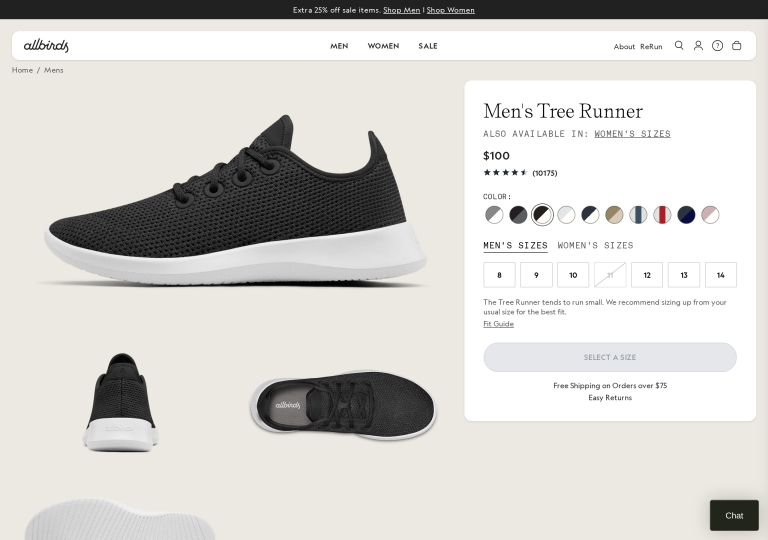
Product pages are where buying decisions are made. A weak product page can undo all the work your marketing does to drive traffic. When you audit your Shopify store‘s product pages, examine each of the following:
Product images. Aim for a minimum of four high-quality images per product, including at least one lifestyle shot showing the product in use, one close-up detail shot, and one that conveys scale. Shopify supports up to 250 images per product, but more important than quantity is quality and variety. Check that images are properly compressed (under 200KB where possible), use descriptive alt text, and load quickly. Video content on product pages is increasingly effective — consider a short clip demonstrating the product.
Product descriptions. Read each description as if you know nothing about the product. Does it answer the fundamental questions: What is it? What does it do? What is it made of? How big is it? Who is it for? Why should I trust this? Avoid manufacturer copy that every competitor also uses. Structure descriptions with scannable formatting — bullet points, short paragraphs, and subheadings.
Variant selection. If your products have variants (size, color, material), test the variant selector experience. Are all options clearly visible? Does the product image update when a variant is selected? Are out-of-stock variants clearly marked, or do they silently fail? Shopify limits each product to 100 variants and three option types — if you are hitting these limits, you may need a combined listings app or a restructured product architecture.
Reviews and ratings. Products with reviews convert at significantly higher rates than those without. Check that your review display is prominent, loads quickly, and includes aggregate star ratings. Verify that your review content appears as structured data so that star ratings can appear in Google search results. If you are using a review app like Judge.me, Loox, or Stamped, confirm it is not adding excessive JavaScript to the page.
Trust signals. Look for shipping information, return policy snippets, secure checkout badges, and guarantees on the product page itself. The buyer should not need to hunt through footer links to find out if they can return a product. A brief “Free shipping over $50 | 30-day returns | Secure checkout” bar near the Add to Cart button can measurably reduce purchase hesitation.
Urgency and scarcity. If you use low-stock indicators, countdown timers, or “X people are viewing this” notifications, audit them for authenticity. Fake urgency tactics erode trust rapidly and can trigger negative reviews. Legitimate signals — such as showing actual inventory levels when stock is genuinely low — work well. Manufactured pressure does not.
3. Collection & Category Pages
Collection pages are often the most visited pages on a Shopify store, yet they receive surprisingly little optimization attention. Here is what to check:
Filtering and sorting. Shopify’s native filtering through the Online Store 2.0 Storefront Filtering feature supports product type, vendor, availability, price range, and tag-based filters. Verify that your filters are relevant to how customers actually shop. A clothing store should offer size and color filters prominently. A supplement store needs filters by goal or ingredient. Check that filters work correctly by testing combinations and verifying the results are accurate.
Product count and pagination. How many products appear per page? Too few forces excessive pagination and increases bounce rate. Too many creates a slow, overwhelming page. Aim for 24 to 48 products per page on desktop. Verify that the pagination experience works cleanly — infinite scroll, “Load More” buttons, and traditional pagination each have trade-offs depending on your catalog size.
Collection page content. Does each collection page have a descriptive heading and introductory text? This is both an SEO opportunity and a way to help shoppers understand what they are looking at. A collection page titled “Running Shoes” with a brief paragraph about what differentiates your running shoe selection gives Google something to index and gives the shopper context.
Product card design. Examine the information density of each product card in the grid. At minimum, shoppers should see the product name, price, and a primary image. Ideally, they should also see the review rating, available colors as swatches, and a quick-add-to-cart option. Review whether secondary images appear on hover — this small detail can significantly improve engagement.
4. Cart Experience
The cart is one of the highest-leverage areas for Shopify conversion optimization. A poorly designed cart experience is where a significant percentage of purchase intent evaporates.
Cart type. Shopify themes typically offer three cart styles: a dedicated cart page, a slide-out cart drawer, or an AJAX mini-cart. The slide-out drawer generally performs best because it allows shoppers to add items and continue browsing without losing their place. Whichever type you use, ensure the transition is smooth and that the cart contents are clearly visible.
Cross-selling and upselling. The cart is a natural place to suggest complementary products. If you sell cameras, suggest memory cards and cleaning kits. If you sell supplements, suggest bundles or subscribe-and-save options. Shopify’s native cart does not include cross-sell functionality, so this typically requires an app or theme customization. Audit whether your cross-sell suggestions are genuinely relevant and not just random products.
Shipping information. One of the primary causes of cart abandonment is unexpected shipping costs revealed at checkout. Address this by including a shipping calculator or a free shipping threshold bar directly in the cart. A progress indicator showing “You’re $15 away from free shipping” is a proven tactic to increase average order value while reducing abandonment.
Cart urgency. Some stores use cart reservation timers (“Your cart is reserved for 10:00 minutes”) to create urgency. If you use this, ask yourself whether it is genuine. If the timer resets every time the page reloads, it is deceptive and customers will notice. Either implement real cart reservation logic or skip this tactic entirely.
Cart editing. Can shoppers easily update quantities, remove items, and change variants from within the cart? Test these interactions on both desktop and mobile. A frustrating cart editing experience — tiny buttons, unclear quantity selectors, page reloads on every change — pushes people toward abandonment.
5. Checkout Flow
Shopify’s checkout has historically been one of the platform’s strengths and limitations simultaneously. With the introduction of Checkout Extensibility and the deprecation of checkout.liquid for Plus merchants, the checkout landscape has changed significantly.
Checkout customization. If you are on Shopify Plus, audit your checkout extensions. Are you using checkout UI extensions to add trust badges, custom fields, or post-purchase upsells? If you are still relying on the deprecated checkout.liquid customizations, plan a migration to the extensibility framework — Shopify has signaled this is the future and legacy support will eventually end.
For standard Shopify plans, customization is more limited. You can adjust colors, fonts, logo, and banner image through the checkout settings. Ensure your checkout branding matches the rest of your store. A jarring visual transition from store to checkout undermines the trust you have built.
Express checkout options. Shop Pay, Apple Pay, Google Pay, and PayPal Express can reduce checkout friction dramatically. Shop Pay alone claims a 50 percent higher conversion rate than guest checkout due to its one-tap, pre-filled experience. Verify that all relevant express checkout options are enabled and that the dynamic checkout buttons appear on your product pages and cart. Test the actual flow on a real device to confirm everything works smoothly.
Guest checkout. Ensure guest checkout is enabled. Forcing account creation before purchase is one of the most reliable ways to kill conversions. If you want customers to create accounts, offer the option after purchase, not as a gate before it.
Checkout form fields. Review whether you have added any unnecessary custom fields to checkout. Every additional field you require increases friction. If you are collecting data that is not essential for fulfillment, consider collecting it post-purchase or through a follow-up email.
6. Mobile Responsiveness
Mobile traffic now accounts for over 70 percent of Shopify store visits and more than 60 percent of orders. A Shopify store audit that does not include rigorous mobile testing is incomplete.
Thumb zone optimization. The most comfortable area for single-handed phone use is the lower-center of the screen. Primary actions — Add to Cart, checkout buttons, navigation toggles — should be accessible within this zone. If your Add to Cart button requires reaching to the top of the screen or scrolling back up after reading the description, you are losing mobile conversions.
Font sizes and readability. Test your store on an actual phone, not just a browser emulator. Body text should be at least 16px to avoid triggering the zoom behavior on iOS Safari. Product titles, prices, and button labels should be large enough to read without squinting. Check that line lengths are comfortable — text that runs edge to edge with no padding is exhausting to read.
Tap target sizing. Buttons, links, and interactive elements should have a minimum tap target of 44 x 44 pixels, as recommended by Apple’s Human Interface Guidelines and Google’s Web Content Accessibility Guidelines. Audit your variant selectors, quantity buttons, filter toggles, and navigation links. If you find yourself tapping the wrong element repeatedly, the tap targets are too small or too close together.
Mobile-specific features. Review whether your store takes advantage of mobile-specific behaviors. Sticky Add to Cart bars that remain visible as the user scrolls through a product page are highly effective on mobile. Collapsible product description sections keep the page manageable. Swipeable image galleries feel native on touch devices. These are not just nice-to-haves — they directly impact mobile conversion rates.
Mobile page speed. Mobile connections are often slower and less reliable than desktop. Test your store on a throttled connection (Chrome DevTools can simulate a 3G connection). If your pages take more than three seconds to become interactive on mobile, you have a speed problem that is costing you sales.
7. Site Speed
Speed is not just a user experience issue — it is a ranking factor, a conversion factor, and a competitive differentiator. Shopify stores face unique speed challenges that differ from custom-built sites.
Shopify-specific speed issues:
App bloat. This is the number one speed killer on Shopify. Every app you install can inject its own JavaScript, CSS, and external requests into your pages. Even apps you have “disabled” may still load their scripts. Audit your installed apps by checking the page source or using a tool like the Chrome DevTools Network tab. Uninstall any apps you are not actively using. For apps you keep, evaluate whether their performance cost is justified by their revenue contribution.
Liquid rendering. Shopify’s templating language, Liquid, runs server-side. Complex Liquid logic — deeply nested loops, excessive conditional statements, or heavy use of the | asset_url filter — slows down server response time. If your Time to First Byte (TTFB) exceeds 500ms, investigate your Liquid templates for optimization opportunities.
Image optimization. Shopify automatically serves images through its CDN and supports format negotiation (serving WebP or AVIF to supported browsers), but it only works if you use the proper Liquid image tags. Check that your theme uses responsive image srcsets and that you are not uploading 5000px-wide images when 1600px would suffice. Hero images are often the worst offenders — a single unoptimized hero image can add seconds to your load time.
Third-party scripts. Chat widgets, analytics tools, retargeting pixels, and social media embeds all add external JavaScript that blocks rendering. Audit every third-party script on your site. For each one, ask: Is this essential? Can it be loaded asynchronously or deferred? Can it be loaded only on pages where it is needed rather than site-wide?
Font loading. Custom fonts are a common source of invisible text (FOIT) or layout shifts (FOUT). Shopify themes often load multiple font weights and styles. Limit yourself to two font families with no more than three weights each. Use font-display: swap to prevent invisible text during loading.
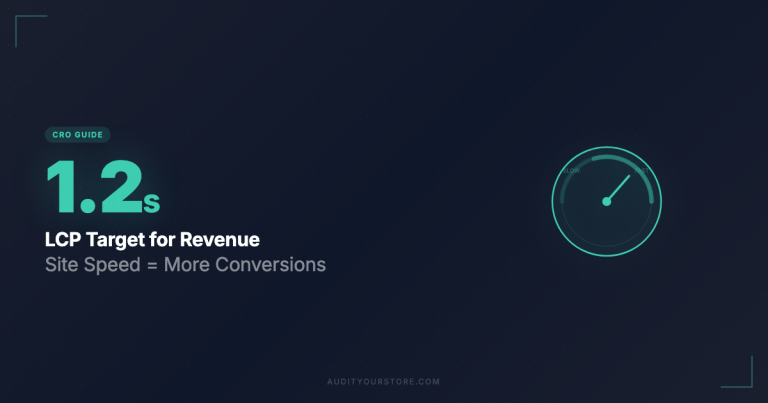
Benchmarks to aim for: Largest Contentful Paint (LCP) under 2.5 seconds, First Input Delay (FID) under 100ms, Cumulative Layout Shift (CLS) under 0.1, and a total page weight under 2MB on your homepage.
8. SEO Health
Shopify has made significant strides in SEO capabilities, but the platform still has structural quirks that require attention. A solid SEO audit within your Shopify store audit covers these areas:
Title tags and meta descriptions. Every page — homepage, collection pages, product pages, and blog posts — should have a unique, keyword-relevant title tag and a compelling meta description. Shopify auto-generates title tags using the pattern “Product Name – Store Name,” which is rarely optimal. Customize your title tags to include target keywords and stay under 60 characters. Meta descriptions should be action-oriented and under 155 characters.
URL structure. Shopify enforces certain URL prefixes that you cannot change: /products/, /collections/, /pages/, and /blogs/. Within those constraints, ensure your URL handles (slugs) are clean, descriptive, and include target keywords. Avoid auto-generated handles that include unnecessary words or numbers. Once a URL is live and indexed, changing it creates a redirect — so get it right when you publish.
Structured data. Verify that your theme outputs valid structured data (JSON-LD format) for products, breadcrumbs, organization info, and articles. Product structured data should include name, price, currency, availability, review ratings, and images. Use Google’s Rich Results Test to validate each page type. Many Shopify themes include basic structured data, but it is often incomplete or outdated.
Duplicate content. Shopify creates a well-known duplicate content issue: products accessible through collection URLs (/collections/shoes/products/sneaker) and directly (/products/sneaker). Most modern Shopify themes handle this with canonical tags pointing to the /products/ version, but verify this is working correctly on your store. Also check for duplicate content across product variants — if each color variant has its own page with identical copy, you may be cannibalizing your own rankings.
Broken links and 404s. Crawl your store using a tool like Screaming Frog (free for up to 500 URLs) or Ahrefs Site Audit. Look for internal links pointing to deleted products, removed collections, or old blog posts. Every 404 error is a dead end for both users and search engines. Set up proper redirects in Shopify’s URL Redirects section under Online Store > Navigation.
Image SEO. Check that all images have descriptive alt text, not generic text like “IMG_4592.jpg.” Alt text should describe the image in the context of the product — “Women’s blue running shoe, side view” is far more useful than “shoe” for both accessibility and image search rankings.
9. Trust & Social Proof
Trust is the currency of ecommerce. Visitors who do not trust your store will not buy, no matter how good your products or prices are. Audit the following trust elements:
Customer reviews. Are reviews prominently displayed on product pages? Is there a dedicated reviews page or section? Check that your review collection is active — stores that only display old reviews (nothing from the last three months) actually hurt trust rather than help it. Consider displaying reviews with photos or videos, as visual proof is more compelling than text alone.
Trust badges and certifications. Payment method badges (Visa, Mastercard, PayPal), SSL indicators, and money-back guarantee seals all contribute to perceived trustworthiness. Place these near the Add to Cart button and in the footer. If you have any industry certifications, awards, or “As Seen In” press mentions, make sure they are visible.
Policies. Your shipping policy, return and refund policy, and privacy policy should be easy to find, clearly written in plain language, and generous enough to reduce purchase anxiety. Link to these from the footer, and surface key policy points (free returns, shipping times) directly on product pages. Shopify generates template policies through Settings > Legal, but these are generic — customize them to reflect your actual practices.
Contact information. A store without visible contact information is a red flag. At minimum, provide an email address and a contact form. Ideally, include a physical address (or at least city and country), a phone number, and your business hours. An “About Us” page with real team photos and your brand story significantly boosts credibility. If you operate from a home address and prefer privacy, consider a registered agent address or a PO Box.
Social media presence. Link to your active social media profiles. But only link to profiles that are actually active. An Instagram link that leads to an account with three posts from 2023 does more harm than good. If a social channel is dormant, remove the link until you revive it.
10. Analytics Setup
You cannot optimize what you do not measure. The analytics audit is about confirming that your data is accurate, complete, and actionable.
Google Analytics 4 (GA4). Verify that GA4 is properly installed and that the data stream is receiving data. Check that Enhanced Ecommerce events are firing correctly: view_item, add_to_cart, begin_checkout, purchase. Use GA4’s DebugView to test events in real-time. A surprising number of Shopify stores have GA4 installed but with broken or missing ecommerce events — often because the integration was set up before Shopify changed their checkout event structure.
Server-side tracking. With iOS privacy changes, ad blockers, and browser tracking prevention becoming the norm, client-side analytics are capturing an increasingly incomplete picture. Evaluate whether you need server-side tracking through Shopify’s Customer Events or a server-side Google Tag Manager container. Server-side tracking can recover 15 to 30 percent of conversion data that client-side scripts miss.
Conversion events. Map out every conversion event that matters to your business: purchases, add-to-carts, email signups, wishlist additions, account creations. Verify each one fires correctly and with accurate values. Pay particular attention to the purchase event — check that revenue, tax, shipping, and currency values are correctly passed. Discrepancies between Shopify’s reported revenue and GA4’s reported revenue are common and usually indicate a tracking misconfiguration.
Advertising pixels. If you run paid ads on Meta, Google, TikTok, Pinterest, or other platforms, verify that each platform’s pixel or conversion API is correctly installed and firing. Shopify’s native integrations for Meta and Google have improved significantly, but they still require verification. Use each platform’s pixel debugging tool (Meta Pixel Helper, Google Tag Assistant) to confirm events are sending the right data.
Heatmaps and session recordings. Tools like Hotjar, Microsoft Clarity (free), or Lucky Orange provide qualitative data that analytics alone cannot. If you do not have a session recording tool installed, add one. Even watching 20 real user sessions will reveal friction points that you would never discover through quantitative data alone.
Shopify-Specific Issues to Watch For
Beyond the ten audit areas above, there are several pitfalls unique to the Shopify ecosystem that deserve special attention during your Shopify store audit:
App overload. The average Shopify store has 6 to 8 apps installed. Many have 15 or more. Each app can add JavaScript, CSS, API calls, and webhook subscriptions. The cumulative effect on performance and reliability is often severe. Audit your apps ruthlessly: if you installed an app for a one-time task and forgot about it, uninstall it. If two apps overlap in functionality, consolidate. If an app has not been updated by its developer in over a year, consider a maintained alternative.
Theme conflicts. If you have customized your theme with code changes and also installed apps that modify the same templates, you may have conflicting code that causes layout issues, JavaScript errors, or broken functionality. This is especially common after theme updates. Use the browser console to check for JavaScript errors on every major page type.
Redirect chains. Over time, as products are discontinued, URLs are changed, and collections are reorganized, redirect chains accumulate. A redirect chain occurs when URL A redirects to URL B, which redirects to URL C. Each hop in the chain adds latency and wastes crawl budget. Audit your redirects through Shopify Admin > Online Store > Navigation > URL Redirects. Look for chains and loops, and flatten them so each redirect points directly to the final destination.
Orphaned pages. Products that are no longer linked from any collection or navigation menu still exist and can be indexed by Google. Crawl your store to find pages that have no internal links pointing to them. Either add them to relevant collections, redirect them to relevant alternatives, or properly delist them.
Metafield sprawl. As you install and uninstall apps, metafields accumulate in your database. While they do not directly impact performance, they create data management headaches. Periodically audit your metafield definitions through Settings > Custom Data and clean up definitions left behind by apps you no longer use.
Checkout domain mismatch. If you use a custom domain for your storefront but have not configured your checkout domain to match, customers may see a different domain during checkout. This can trigger security warnings in the customer’s mind and reduce trust. Verify that your checkout domain matches your store domain.
Free vs Paid Audit Tools for Shopify
You do not need a massive budget to conduct an effective Shopify store audit. Here are the tools we recommend, organized by cost:
Free Tools
- Google PageSpeed Insights — Core Web Vitals assessment and performance diagnostics. The single most important free speed tool available.
- Google Search Console — Crawl errors, indexing issues, search performance data, and Core Web Vitals reports directly from Google.
- Google Rich Results Test — Validates your structured data markup to ensure products, reviews, and other rich snippets are eligible to display in search results.
- Microsoft Clarity — Free heatmaps, session recordings, and behavioral analytics with no traffic limits. An excellent alternative to paid tools like Hotjar.
- Chrome DevTools — The Network tab, Lighthouse audits, Performance profiling, and Console error checking are all invaluable for technical audits.
- Shopify’s Online Store Speed Report — Found under Analytics > Reports in your Shopify Admin, this provides a speed score benchmarked against similar stores.
- WAVE Accessibility Tool — A browser extension that identifies accessibility issues including missing alt text, low contrast ratios, and missing form labels.
Paid Tools
- Screaming Frog SEO Spider (Free for up to 500 URLs; paid license from $259/year) — Comprehensive site crawling that identifies broken links, duplicate content, redirect chains, missing metadata, and more. The gold standard for technical SEO audits.
- Ahrefs or Semrush (From $99/month) — Full-suite SEO platforms that include site audit tools, keyword research, backlink analysis, and competitor intelligence. Either platform can run automated site audits on a schedule.
- Hotjar (Free tier available; paid from $39/month) — Heatmaps, session recordings, surveys, and feedback widgets. Particularly useful for understanding where users click, scroll, and drop off.
- GTmetrix (Free basic reports; paid from $14.95/month) — Performance testing with historical tracking, multiple test locations, and Lighthouse-based reporting. Useful for monitoring speed improvements over time.
- BuiltWith or Wappalyzer (Free browser extensions; paid for advanced features) — Identify what technologies, apps, and scripts are running on your Shopify store or a competitor’s store.
- Nostra or Edgemesh (Varies) — Shopify-specific speed optimization platforms that provide CDN acceleration, predictive prefetching, and performance monitoring tailored to the Shopify architecture.
How to Prioritize Fixes After Your Audit
A thorough Shopify store audit typically produces a list of 30 to 100 issues and opportunities. Trying to fix everything at once leads to overwhelm and stalled progress. Instead, use an impact-versus-effort prioritization framework.
Create a simple matrix with two axes:
- Impact (Low / Medium / High) — How much will fixing this issue affect revenue, conversions, or user experience?
- Effort (Low / Medium / High) — How much time, technical skill, or money does the fix require?
Prioritize in this order:
- High impact, low effort (Quick Wins) — These are your first priority. Examples: fixing broken links, adding missing alt text, enabling express checkout options, removing unused apps, adding trust badges to product pages.
- High impact, high effort (Strategic Projects) — Schedule these into your roadmap. Examples: theme migration, site speed overhaul, comprehensive product page redesign, server-side tracking implementation.
- Low impact, low effort (Fill-in Tasks) — Do these when you have spare cycles. Examples: updating footer links, standardizing image dimensions, cleaning up metafields.
- Low impact, high effort (Deprioritize) — These go to the bottom of the list or get dropped entirely. Do not invest significant time in changes that will not meaningfully move your metrics.
Set a cadence. Do not treat your audit as a one-time event. Schedule a quarterly mini-audit covering speed, SEO health, and top-performing page metrics. Conduct a full comprehensive audit every six to twelve months or whenever you make a major change such as a theme switch, platform migration, or significant catalog expansion.
Measure the impact. Before you start fixing issues, document your baseline metrics: conversion rate, average order value, bounce rate, page speed scores, and organic traffic. After implementing changes, wait at least two to four weeks before evaluating results. Use your analytics data to confirm that your fixes are producing the expected improvements.
Frequently Asked Questions
How often should I audit my Shopify store?
We recommend a full comprehensive audit every six months and a lighter quarterly check covering speed metrics, broken links, and conversion rate trends. You should also run a focused audit whenever you install or remove apps, update or switch your theme, launch a major marketing campaign, or notice a sudden drop in conversion rate. Stores that audit regularly and act on findings consistently outperform those that treat optimization as a one-time project.
Can I audit my Shopify store myself, or do I need to hire an expert?
You can absolutely conduct a meaningful audit yourself using this guide and the free tools listed above. A self-audit is especially effective for identifying obvious issues like broken links, missing metadata, slow pages, and poor mobile experiences. However, a professional CRO auditor brings pattern recognition from auditing hundreds of stores, access to advanced tools, and the ability to prioritize recommendations based on proven data from similar businesses. If your store generates over $50,000 per month in revenue, the ROI on a professional audit typically pays for itself within weeks through the conversion improvements it identifies.
What is a good conversion rate for a Shopify store in 2026?
The median Shopify store conversion rate hovers around 1.3 to 1.8 percent. A “good” conversion rate depends heavily on your industry, traffic source, and price point, but generally anything above 2.5 percent puts you in the upper quartile. The top 10 percent of Shopify stores convert at 3.5 percent or higher. Rather than benchmarking against abstract averages, focus on improving your own rate incrementally. A 20 percent improvement in conversion rate, say from 1.5 percent to 1.8 percent, translates directly to a 20 percent increase in revenue from the same traffic.
Which Shopify apps hurt site speed the most?
The heaviest offenders tend to be live chat widgets, review apps with rich media features, pop-up and email capture tools, social proof notification apps, and loyalty program apps. These categories of apps typically inject significant JavaScript into every page load. That said, the issue is not any single app but cumulative bloat. A store with 15 “lightweight” apps can be slower than one with 3 heavier apps. Use Chrome DevTools to measure the actual JavaScript execution time and network requests each app adds, then weigh that cost against the revenue value the app provides.
Does Shopify’s built-in SEO handle everything, or do I need additional SEO work?
Shopify handles the basics reasonably well — it generates sitemaps automatically, supports canonical tags, allows custom title tags and meta descriptions, and provides a clean URL structure. However, Shopify has notable SEO limitations. You cannot fully customize the URL structure (the /products/ and /collections/ prefixes are mandatory). The platform creates duplicate content through collection-based product URLs that require canonical tag management. Pagination handling is basic. Robots.txt customization was limited until recently. And structured data output varies significantly by theme. To compete seriously in organic search, you will need to go beyond Shopify’s defaults with custom structured data, an internal linking strategy, content marketing through the blog, and potentially an SEO-focused app like Smart SEO or JSON-LD for SEO.
Start Your Shopify Store Audit Today
Every week you delay your audit is a week of lost conversions, wasted ad spend, and missed revenue. The ten areas outlined in this guide cover the full spectrum of a professional-grade Shopify CRO audit, from the first impression your homepage makes to the accuracy of your analytics data.
But knowing what to check is only half the battle. The real value comes from executing the fixes systematically and measuring the results.
Go Deeper: The 276-Point CRO Audit Checklist
This guide covers the strategic overview, but the full audit requires granular detail. Our 276-point CRO checklist breaks every area down into specific, actionable checkpoints — each one with clear pass/fail criteria and prioritization guidance. It is the same checklist used by professional CRO consultants to audit stores generating six and seven figures in monthly revenue.
Selling Internationally on Shopify? Meet SmartBanner
If your Shopify store serves customers in multiple countries, you are likely losing conversions from international visitors landing on the wrong regional store or seeing prices in the wrong currency. SmartBanner detects your visitor’s location and displays a smart, non-intrusive banner guiding them to the right localized version of your store. It supports Shopify Markets, Shopify expansion stores, and custom multi-store setups. No more lost international sales because a customer in Germany is browsing your US store without realizing there is a local alternative with local pricing, language, and shipping.
The difference between a store that converts at 1.5 percent and one that converts at 3 percent is not a secret formula. It is attention to detail, systematic optimization, and a willingness to look critically at every element of the customer experience. Your Shopify store audit starts now.